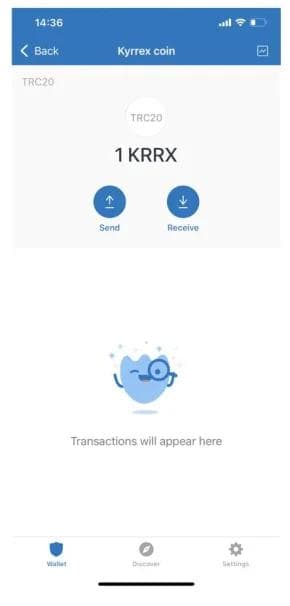


In this article we are going to guide you with step by step procedure of adding, editing tokens to your Trustwallet
How to Add a Custom Token to Trustwallet?
We are here to help you with adding KRRX token to your Trust Wallet app. KRRX is a native token of a quite-known crypto trading platform - Kyrrex. So, what’s the reason for investors and traders adding the token to Trust Wallet? It provides many features to its holders like decreasing trading commissions, stacking, and the possibility to catch the token’s growth from the beginning.
Kyrrex is a crypto exchange company regulated by Malta and Estonia authorities. So, investing in its native token can be a profitable bet even during a short period of time. As we can see, KRRX provides many outstanding possibilities. Trust Wallet supports many blockchains and over one thousand crypto tokens. The system keeps providing us with brand new chains/tokens every week.
By default, Trust Wallet allows us to work with Bitcoin (BTC), Ethereum (ETH), and Binance (BNB). So, what should you do if you need an extra token in your crypto wallet?
There are several simple steps to do it.
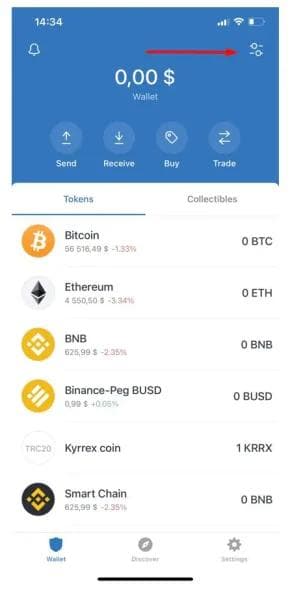
Step 1: Click on the manage button
The manage button is located in upper right corner of your Trust wallet app. Clicking on it will give you access to the app's Menu.
Smart Trading, Safe Wallet
Maximize your profits with low trading 0.2% fees
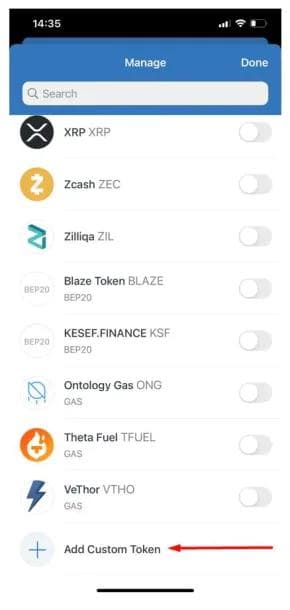
Step 2: Adding Custom Token
When you are on the Manage page, please, scroll down the list. You have to click an “Add Custom Token” button to add an extra coin to the list.
Step 3: Choosing Tron network
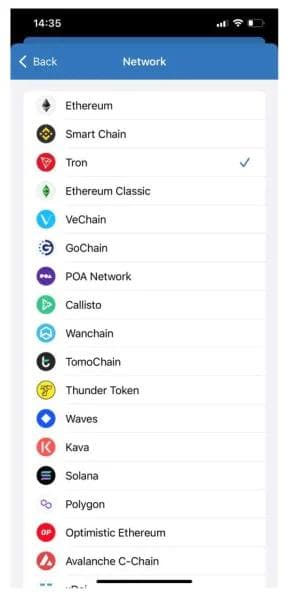
We have to be sure that the support network is Tron (TRC20). If it’s already Tron, no changes needed.
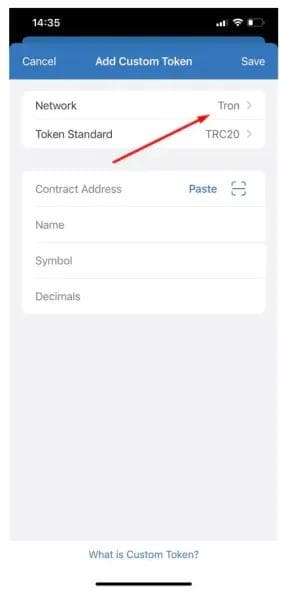
If not, pick the Tron network from the list.
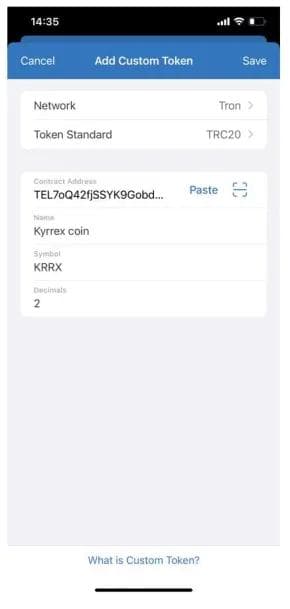
Step 4: fill out the contract address
You have to fill out the contract address:
THS2ZuQowumzFPD1z3wchB1PijWMggUgmA
The rest of the data like Name, Symbol, and Decimals will be autofilled. If not, we have to fill them manually than click Save.
Step 5: Completion
Now, you’re good! Everything is set just right. If not, please, contact the technical support. As we can see, adding a custom token in the Trust Wallet is simple.
So, you are set to invest in the KRRX tokens and catch shining profits with Kyrrex.